bigJson › Guides
How to open a large JSON file without freezing your editor
You've got a 300MB API export or a 2GB log dump, you double-click it, and VS Code (or Sublime, or Notepad++) hangs. Here's why that happens and what actually works.
Why text editors choke on big JSON
An editor treats the file as editable text, not data. It keeps the full
text in memory, plus line indexes, syntax tokens, folding ranges, undo
history and whatever extensions are running. All of that is many times
the file size. VS Code already switches off tokenization and folding
for large files (editor.largeFileOptimizations), but it
still has to hold the whole text buffer, and a single-line minified
JSON file is the worst case for it.
Browser-based and online JSON viewers hit the same wall inside a tab's memory limit, and you usually shouldn't paste production data into a website anyway.
1. Just peek at the start of the file
Often you only need to see the shape of the data:
# macOS / Linux (on Windows: Git Bash or WSL)
head -c 2000 big.json
2. Stream it with jq
Plain jq '.[0]' big.json loads the whole file. Use
--stream to process it incrementally, e.g. print the
first 5 items of a top-level array:
jq -cn --stream 'fromstream(1|truncate_stream(inputs))' big.json | head -53. Iterate it in code
For a one-off extraction, a streaming parser like Python's ijson walks the file without loading it all:
import ijson

with open("big.json", "rb") as f:
    for user in ijson.items(f, "item"):
        if user.get("plan") == "pro":
            print(user["email"])
4. Split it into smaller files
If you must use an editor, turn a top-level array into JSON Lines (one record per line) and split that:
jq -cn --stream 'fromstream(1|truncate_stream(inputs))' big.json > big.jsonl
split -l 100000 big.jsonl part_
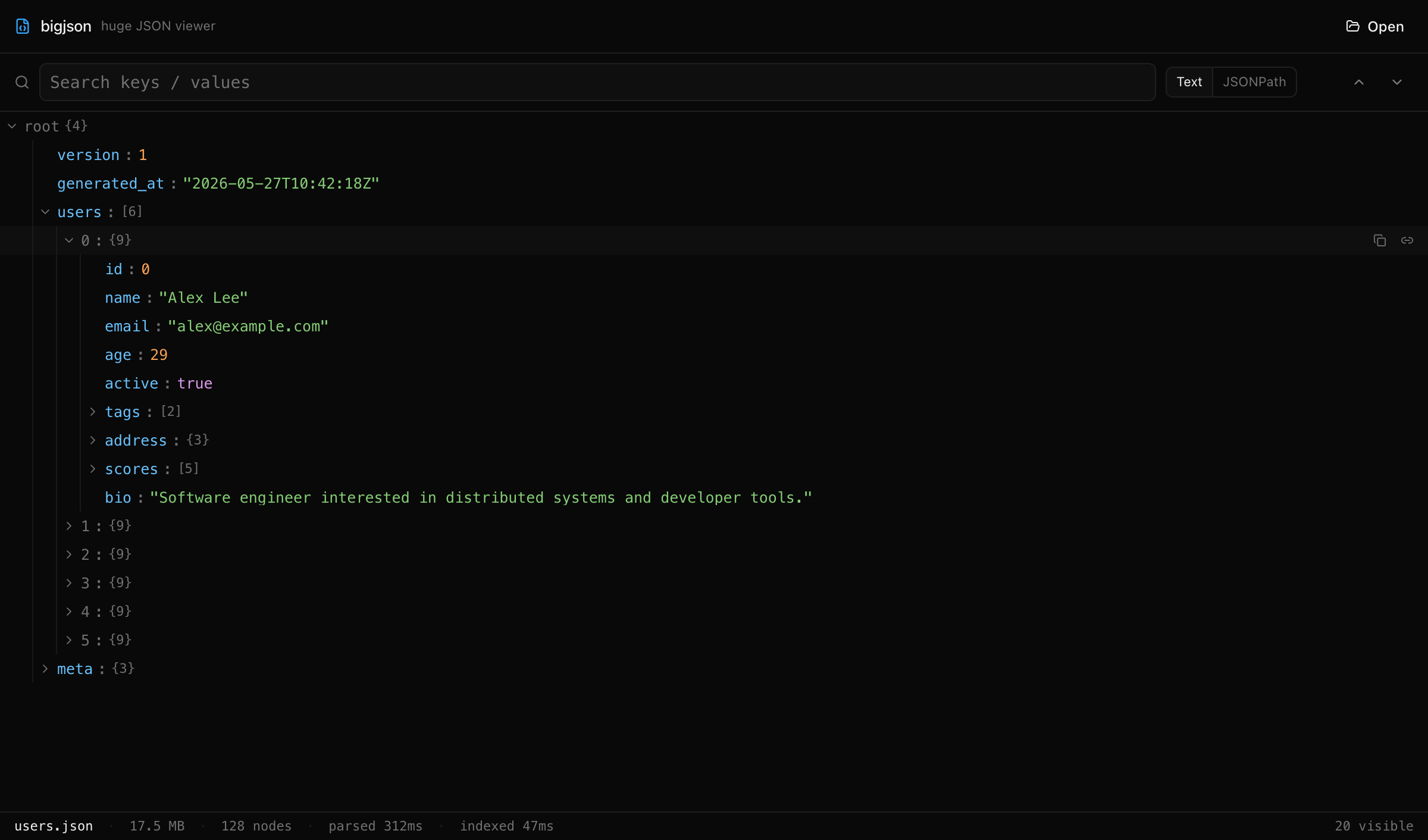
5. Use a viewer built for large files
When you need to actually browse the tree, search keys and values, and
jump around, use a read-only viewer that parses the file natively and
only renders what's on screen.
bigJson is a free, open-source desktop app for macOS,
Windows and Linux that does exactly this: Rust (simd-json)
parses the file into a flat index, the React tree is virtualized, and
children load lazily. It also supports JSONPath queries like
$.orders[?(@.total > 1000)], and nothing leaves your
machine.
Download bigJson · Source on GitHub
Which one should you pick?
- Just want to see the structure:
head. - Need one field out of millions of records:
jq --streamor ijson. - Need to hand pieces to someone else: convert to JSON Lines and split.
- Need to explore and search interactively: a large-file viewer like bigJson.